Blender
Free and open source 3D creation suite covering modeling, sculpting, texturing, animation and rendering.
Desktop low-poly modeler for building, face painting and animating stylized game props.
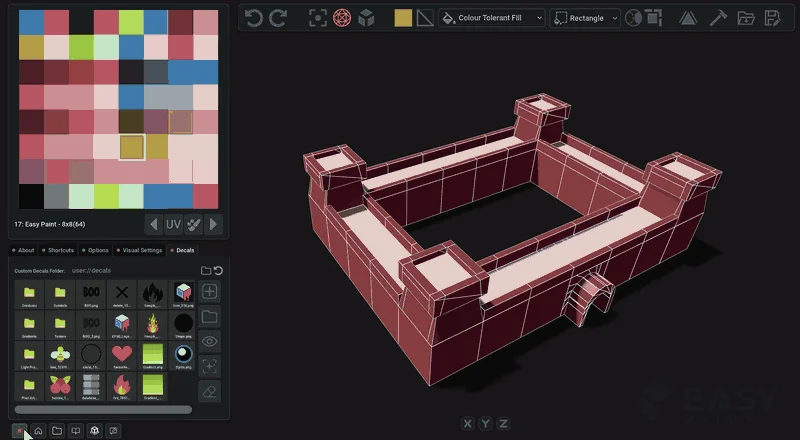
Easy Paint 3D is 16 Bitz's Early Access editor for making and painting stylized props. Its distinctive workflow is face painting: block out a low-poly shape, assign palette colors directly to its faces, and add flat graphics where they matter. That avoids a manual UV unwrap for basic color blocking. It does not mean a finished textured asset has no UVs. The developer documents UV editing and texture atlases for more detailed work. This profile is based on the developer's public documentation and screenshots; we did not install the editor or run an export.
Start with a crate or a sign. Block out the silhouette with primitives or reusable Easy Bricks, use a small color palette, and add one decal. This separates the fast face-painting workflow from the extra work of getting fine text or decals to look sharp.
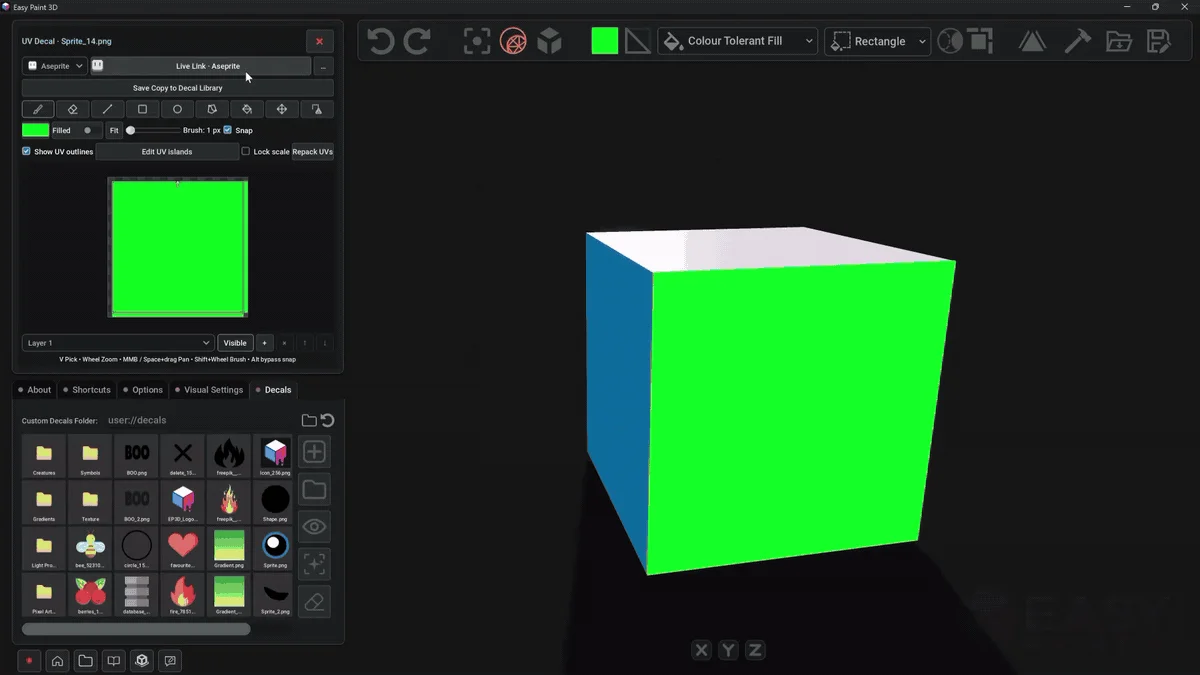
Face painting works for broad colors. For lettering or graphics that need precise placement, use a decal or a UV-mapped surface. The developer documents a live connection to Aseprite and Krita for the flattened color and transparency of a linked image. Do not assume that a layered editor project becomes an editable engine material.
The paid build documents GLB model export with painted color and decals baked into a texture atlas. Its PNG, MP4 and sprite workflows are for rendered output. Painterly screen effects do not automatically travel with GLB; export a still or a turntable if preserving the rendered look is what matters.
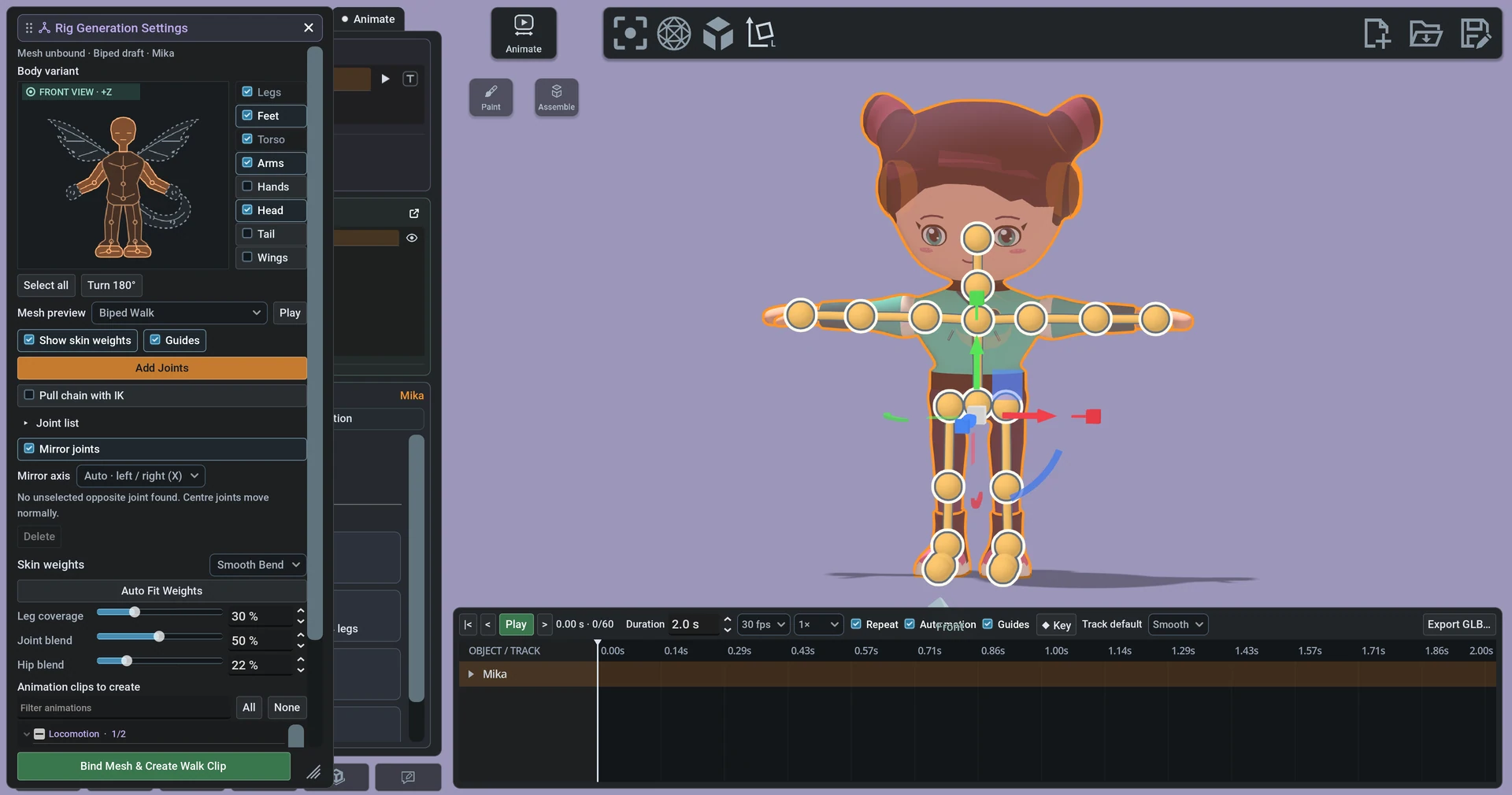
For a Blender, Godot or Unity project, first export just one representative prop from the paid build. Reopen it in the target app and inspect scale, silhouette, palette colors, decal edges and transparency. If motion matters, include one short animation and check that the destination actually imports and plays it. This is a suggested acceptance test, not a reported result.
Easy Paint 3D is not free. It is paid software with no free tier, though a time limited trial may be offered.
| Plan | Price | What you get |
|---|---|---|
| Free demo | Free | Windows and Linux demo downloads are listed. 3D model saving and export are disabled; screenshots and video recording remain available. A demo session cannot validate the GLB handoff. |
| Full Early Access build | From USD 29.99 | One-time minimum on the developer's itch.io storefront, checked November 26, 2026. Windows 0.2.0 and Linux x86-64 0.2.1 are listed. No macOS build is listed on that storefront; no checkout or platform test was performed. |
Block out a small object and paint a coherent palette before spending time on a production texture pass.
Try linked decals or textures on a simple mesh while keeping the familiar 2D editor.
The storefront documents GLB for model export. Do not assume FBX, STL, named engine-import behavior or a production-ready rig from this listing.
No. The developer's current edition notes say the demo disables 3D model saving and export. Try the editing workflow free; validate model delivery separately.
Not for basic face coloring. Use decals or UV-mapped surfaces when a detailed image must land in a specific place, then verify the baked result after exporting.
Not necessarily. Baked color and decals are different from lighting and painterly screen effects. Check the GLB in the destination; use rendered images or video when the preview look itself is the deliverable.
Free and open source 3D creation suite covering modeling, sculpting, texturing, animation and rendering.

Link to this page with the badge below (use listed-light.svg on a light background). Spotted something out of date? Tell us.
<a href="https://3dtoolwiki.com/tools/easy-paint-3d" target="_blank"><img src="https://3dtoolwiki.com/badges/listed-dark.svg" alt="Listed on 3D Tool Wiki" width="200" height="54"></a>