PrusaSlicer
Free open source C++ slicer for FFF and resin printers, with paint-on supports, organic supports and native STEP import.
Free slicer built around Bambu Lab printers, with AMS multi-material painting, automatic flow calibration and remote print monitoring.
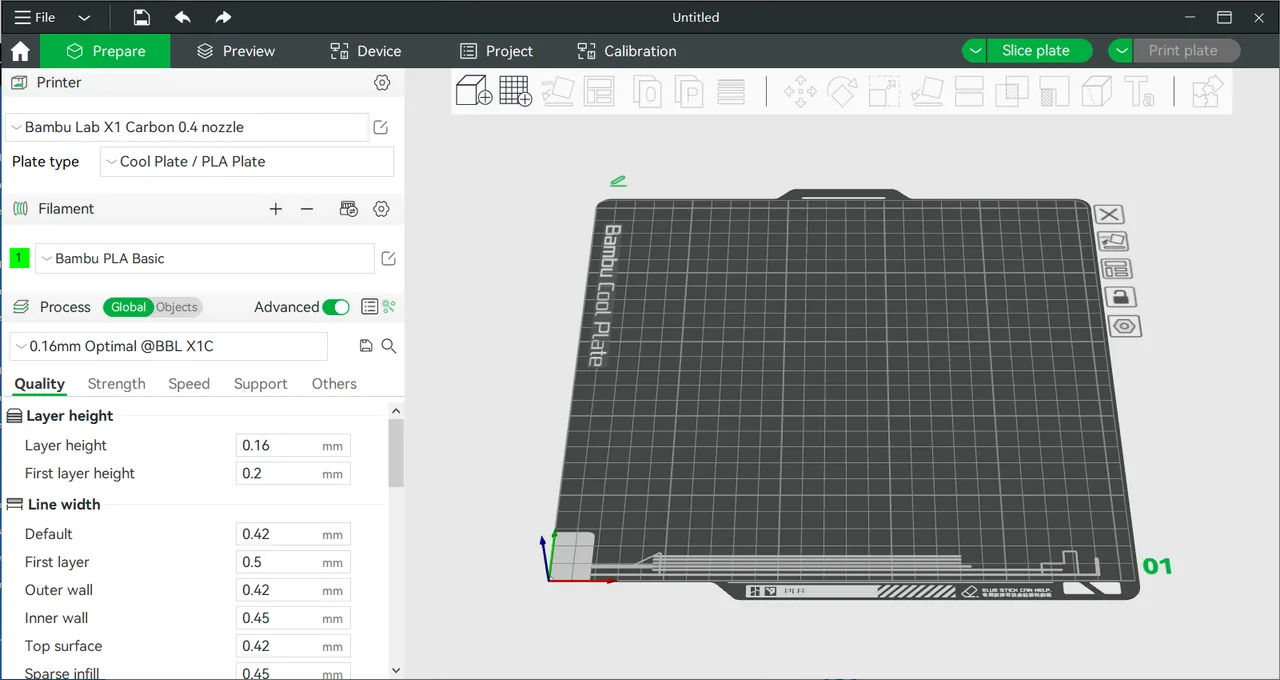
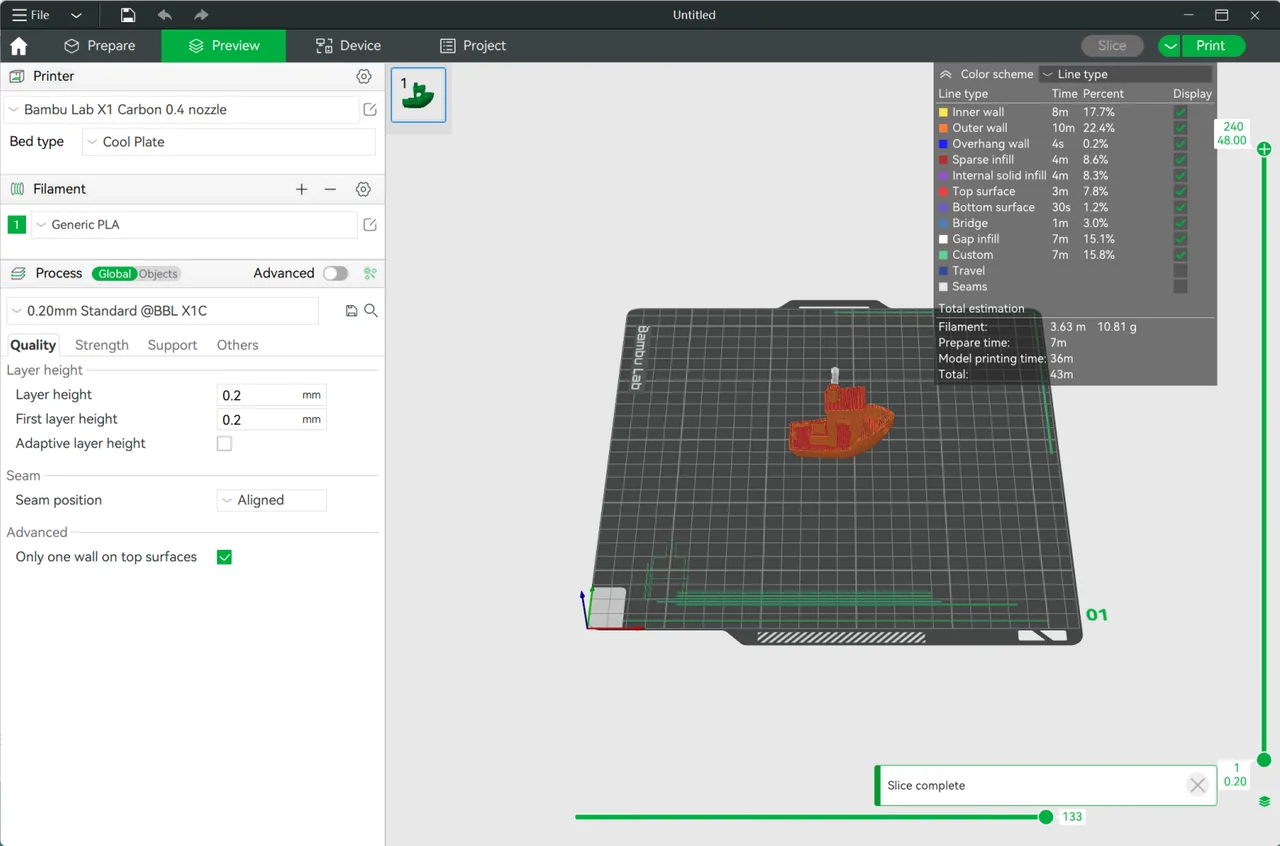
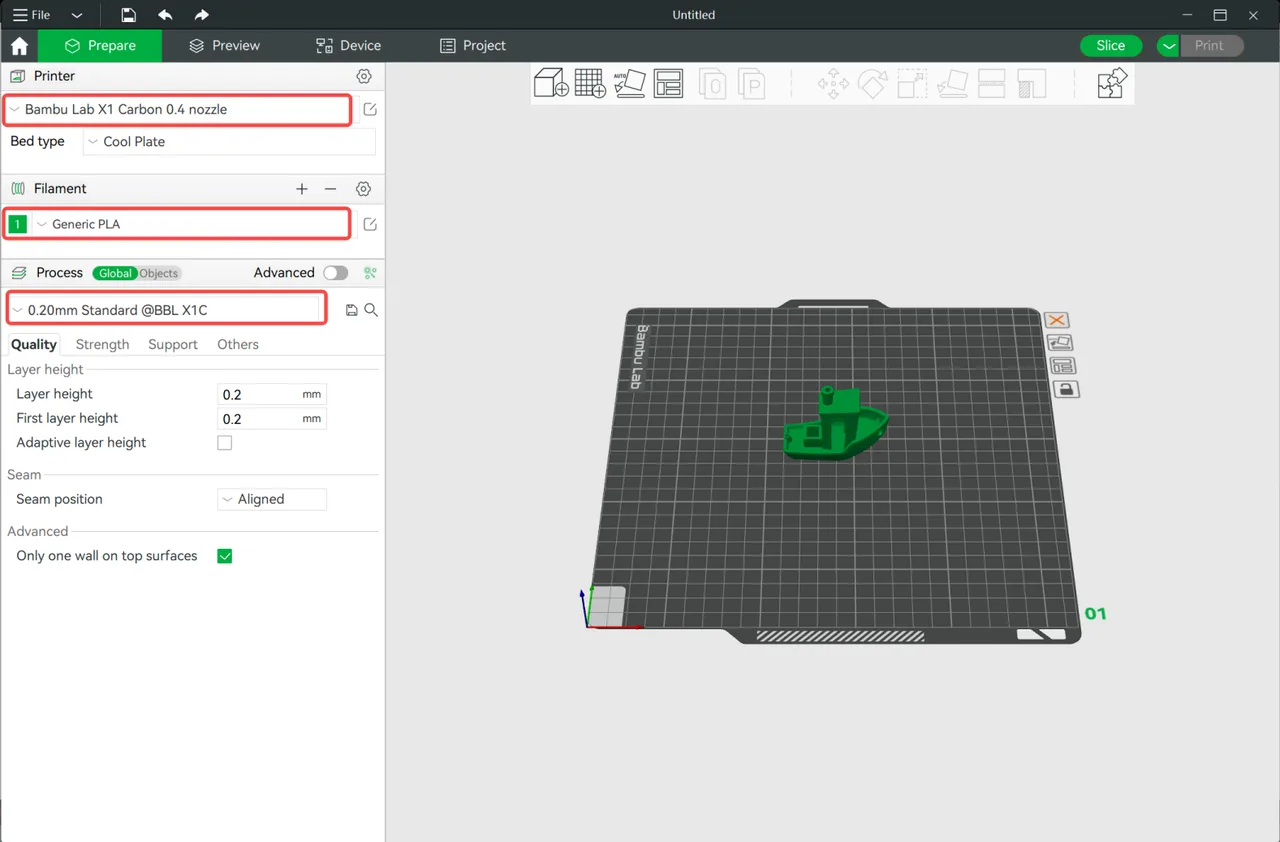
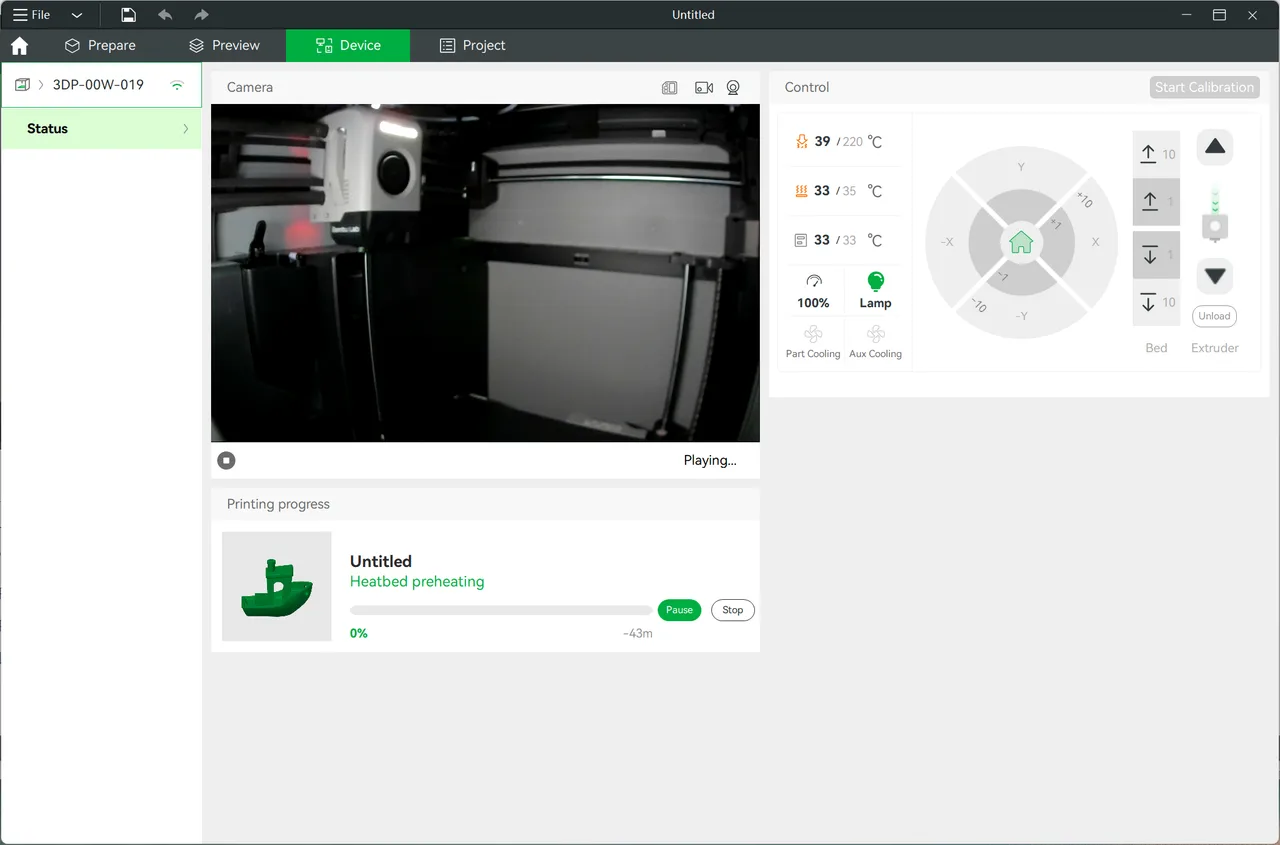
Bambu Studio is the slicer Bambu Lab ships for its own printers. It is a fork of PrusaSlicer, which itself descends from Alessandro Ranellucci's Slic3r, so the project-based interface and the C++ slicing core will feel familiar to anyone coming from either. Bambu Lab rebuilt large parts of it around their hardware: the Automatic Material System for multi-colour printing, automatic flow calibration driven by the printer's own sensors, and a Device tab that streams the camera and drives the machine from inside the slicer. It reads STEP files directly through OpenCASCADE rather than requiring a mesh export first. The software is free and the slicing engine is published under the AGPLv3, but the networking layer is a closed-source plugin, which is the subject of an ongoing licence dispute described below. The current stable release is 2.7.1.62 from 16 June 2026; version 2.8.1 exists only as a public beta as of 29 July 2026. Generic profiles let it export G-code for third-party printers, but the cloud, AMS and monitoring features are bound to Bambu Lab machines.
Paint colours or materials onto specific faces, layers or regions of a single mesh, and the slicer maps them to the spools loaded in the Automatic Material System. Spool colour and type arrive automatically over RFID, so the interface reflects what is physically in the machine. A prime tower purges the nozzle between changes, and the flush volume is calculated per material pair.
Arachne is the default: it varies extrusion width across a perimeter so a 1.0 mm wall prints as two 0.5 mm passes instead of two 0.4 mm passes plus a vibrating gap fill. It trades away some fidelity on very fine embossed detail, so the Classic fixed-width generator stays available as a toggle under Quality for text, barcodes and tight tolerance parts.
Branching supports have been the default since version 2.0.0. They rise from the plate and curve in to meet overhangs without dragging along the model's vertical walls, which limits surface scarring. The engine prints the transition layer, the interface layer and the overhang perpendicular to each other so the support snaps off cleanly.
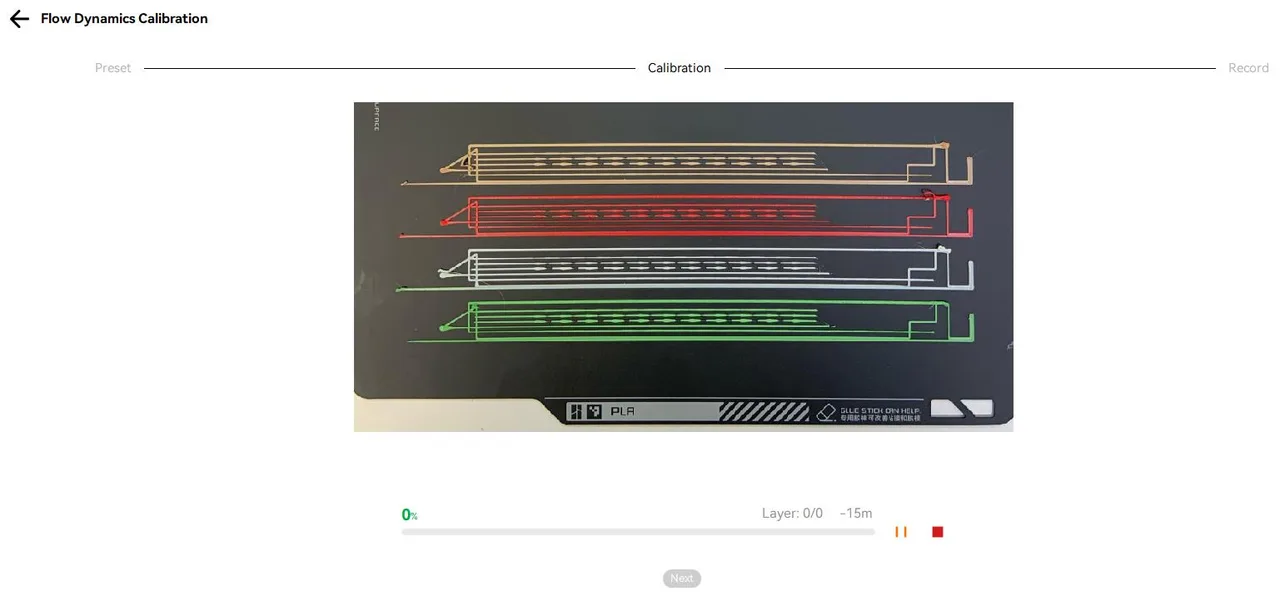
Flow Dynamics calibration, the pressure advance equivalent, runs from inside the slicer using the printer's own hardware: the X1 series reads the test lines with a micro-LiDAR sensor, while A1 and H2D machines measure extrusion force with an eddy current sensor. A manual pattern is available for filaments that defeat the sensors, such as transparent PETG and reflective silks.
STEP files open natively through OpenCASCADE, so a CAD assembly goes straight from the design tool into the slicer without a mesh export step and the faceting it introduces. Assemblies keep their part structure, which makes it practical to split a model across plates or assign different colours per part.
A dedicated tab streams the printer's camera, reports nozzle, bed and chamber temperatures, exposes axis and extruder controls, and tracks print progress without leaving the slicer. Jobs can go over the cloud or, with LAN-only mode, over the local network. This layer depends on a closed-source plugin and only works with Bambu Lab hardware.
Recurring themes across third-party user reviews (G2, Capterra, TrustRadius).


Bambu Studio is free to use. There is no paid edition and no licence to buy.
| Plan | Price | What you get |
|---|---|---|
| Bambu Studio | Free | The whole application at no cost: slicing, multi-colour painting, calibration, cloud and LAN printing, and MakerWorld access. No account is needed to slice and export G-code, though cloud features and MakerWorld require a Bambu Lab login. |
| Paid tiers or add-ons | None | There is no paid edition, subscription, seat licence or feature unlock, and no usage charge on the local MQTT or cloud APIs. Development is funded by printer and filament sales, so the real cost sits in the hardware: the networking, AMS sync and camera features only do anything with a Bambu Lab printer attached. |
Profiles, calibration routines and AMS handling are written against this exact hardware, so a first print usually needs no tuning at all. Nothing else integrates the machine, the material system and the slicer this tightly.
Painting a mesh and letting the slicer resolve spool mapping, purge volumes and the prime tower is markedly less fiddly here than the equivalent workflow in PrusaSlicer or Cura, because the software assumes the AMS exists.
Opening a MakerWorld 3MF brings the geometry, supports, modifiers and colour painting already configured by the model's author, which collapses the setup step that usually trips up new users.
STEP assemblies import directly with their part structure intact, so there is no mesh export round trip between the CAD tool and the plate.
The software leans on automatic sensor routines and does not ship the built-in calibration suite that OrcaSlicer does: no temperature towers, retraction tests or volumetric flow tests generated from the menu. When the LiDAR or eddy current reading is wrong, there is little granular tuning left to fall back on.
Generic profiles will export G-code for a Creality or Voron, but every networking, monitoring and material feature stops at the boundary of Bambu Lab hardware. A fleet spanning several brands is far better served by a slicer built for broad printer support.
The networking layer is a closed-source binary and the software pushes toward cloud accounts; LAN-only mode exists but historically disables firmware updates and mobile viewing. Organisations that need auditable open-source dependencies should also weigh the unresolved AGPL dispute described in the FAQ.
Yes, completely. There is no paid edition, subscription or feature unlock, and no charge for the local or cloud printer APIs. The slicing engine is published under the AGPLv3. The cost sits in the hardware: the networking, AMS synchronisation and camera monitoring features only do anything when a Bambu Lab printer is attached.
For slicing and exporting G-code to an SD card, yes, using the generic machine profiles. In practice it is a poor fit for other hardware: the cloud connection, AMS filament mapping, automatic flow calibration and camera monitoring are all built against Bambu Lab machines, and third-party profile coverage is far narrower than in OrcaSlicer or Cura.
Yes, with limits. You can slice and export G-code to a MicroSD card entirely offline, and Bambu printers offer a LAN-only mode that lets the slicer send files over the local network. Staying logged out disables MakerWorld integration, firmware updates, remote camera viewing outside the local subnet and mobile notifications.
That is the default Arachne wall generator. It varies extrusion width to eliminate gap fill, which is faster and stronger on ordinary walls, but it smooths over very fine sharp detail and can drop small text from the sliced preview. Switch the wall generator from Arachne to Classic under the Quality tab for those models.
OrcaSlicer is an open-source community fork of Bambu Studio, so the two share an interface and 3MF compatibility. OrcaSlicer adds a built-in calibration suite that generates temperature towers, retraction and pressure advance tests from a menu, and it ships tuned profiles for a wide range of third-party printers plus Klipper support. Bambu Studio is the smoother option on stock Bambu hardware, particularly for MakerWorld models and AMS colour printing.
Bambu Studio is a fork of PrusaSlicer and so is covered by the AGPLv3, which requires the complete corresponding source of a distributed work. Bambu Lab publishes the slicing engine but keeps the networking layer as a closed binary called libbambu_networking, arguing it is an optional plugin. The Software Freedom Conservancy published a response on 18 May 2026 rejecting that reading and stating the company has been out of compliance for years. The dispute is unresolved, and it matters most to organisations with open-source licensing obligations.
The current public release is 2.7.1.62, published on 16 June 2026, which brought Texture-to-Color Painting and the Filament Manager. Version 2.8.1 has been available as a public beta since 14 July 2026 and adds Decompose Color and E3D high flow nozzle support, but it had not reached public release status as of 29 July 2026. On Linux, the community-maintained Flathub build is often more reliable than the official AppImage outside Ubuntu.
Free open source C++ slicer for FFF and resin printers, with paint-on supports, organic supports and native STEP import.
Free open source slicer that turns 3D models into G-code for FFF printers, with over 400 settings and profiles for hundreds of machines.