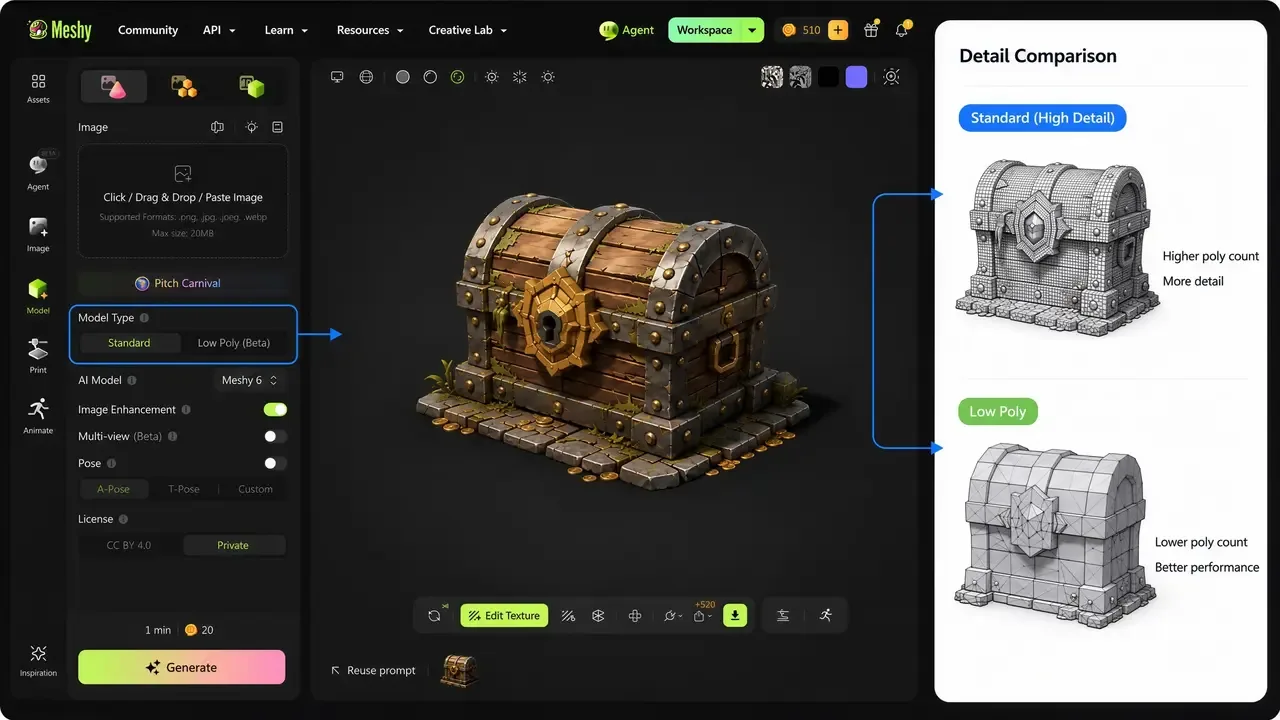
Meshy
AI 3D model generator that turns text prompts or images into textured, riggable meshes in about a minute.
Text, image and sketch to 3D generator with a free tier, mesh quality presets, part splitting and export aimed at both game engines and 3D printing.
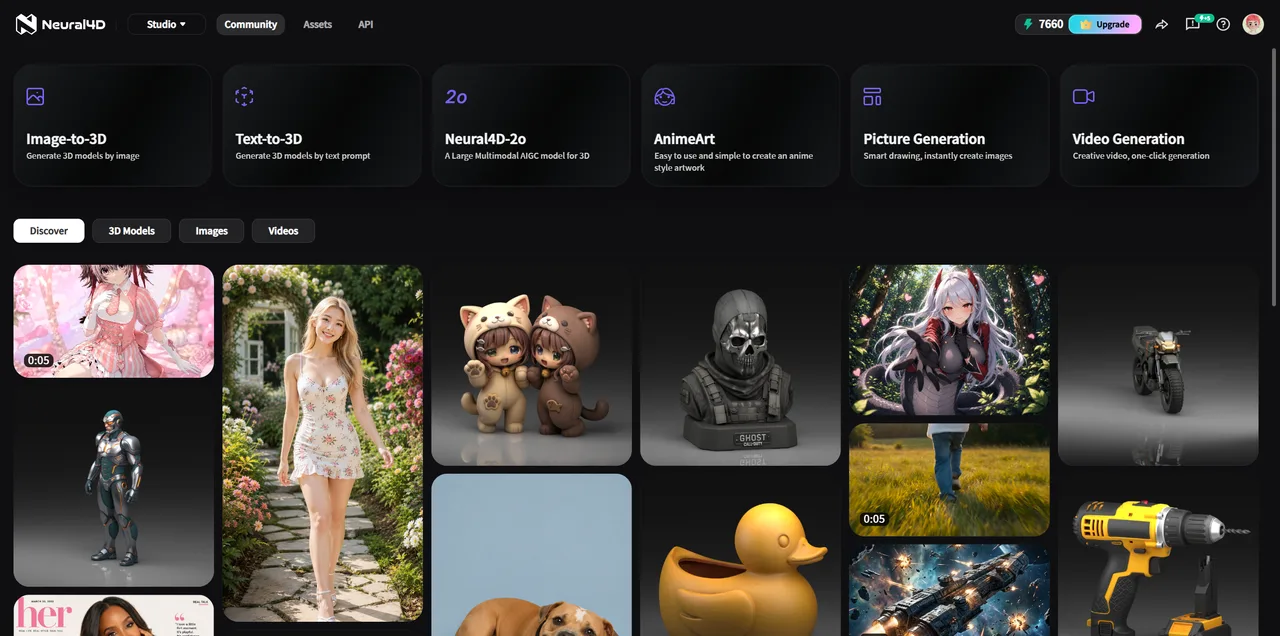
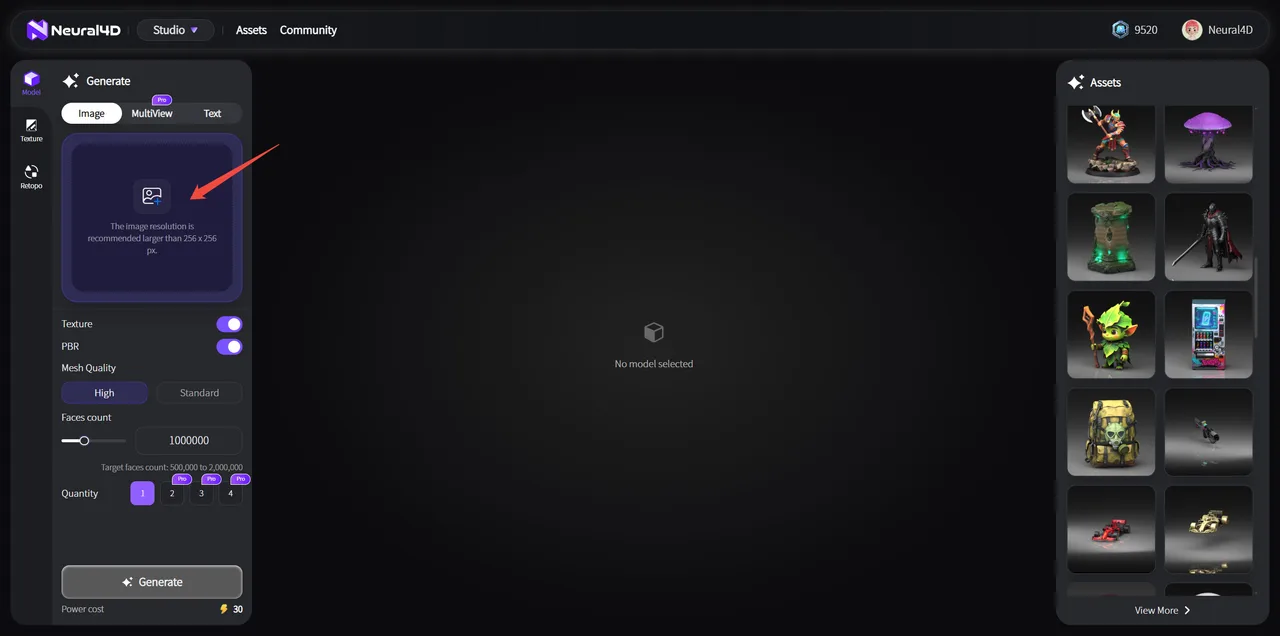
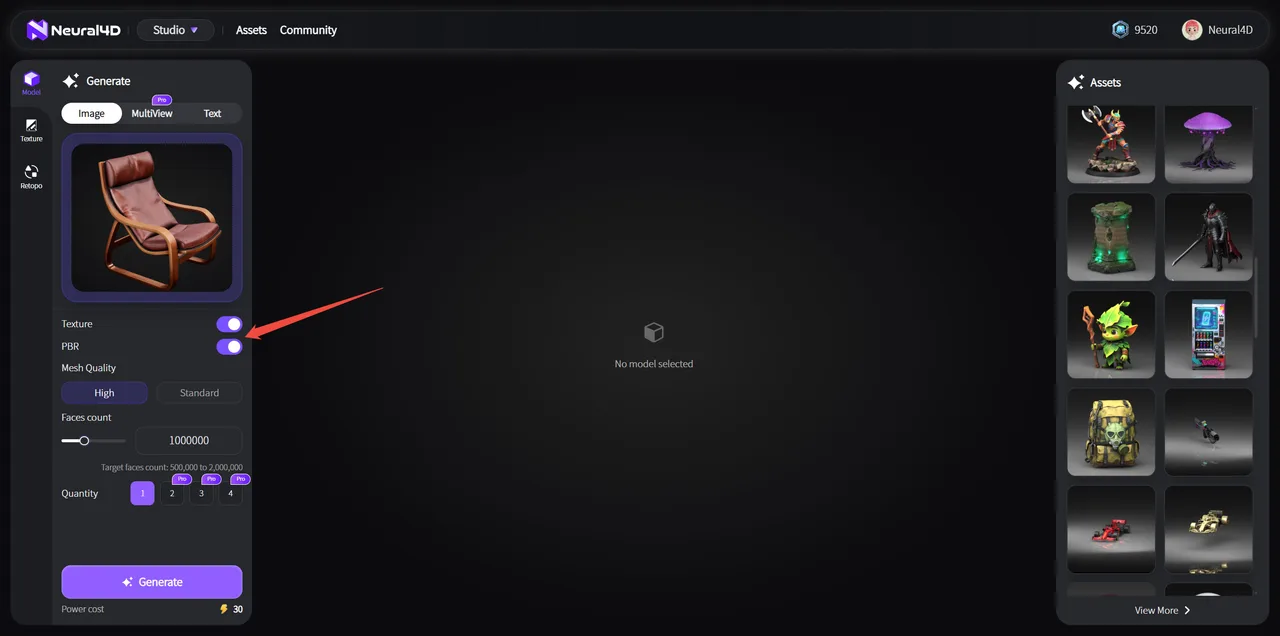
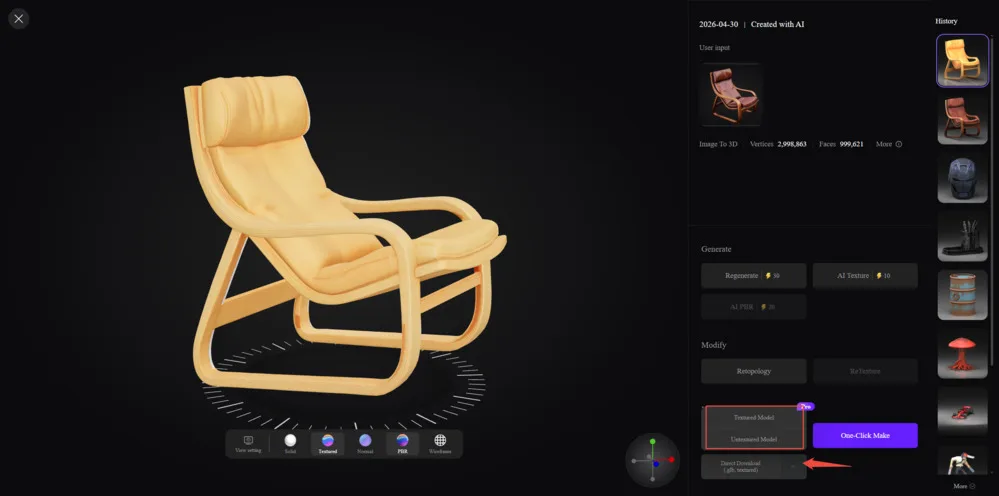
Neural4D is a browser-based generator that turns a text prompt, a photo or a sketch into a textured 3D mesh. It sits in the same bracket as Meshy, Tripo and Rodin, and separates itself mainly on the downstream end: mesh quality presets, a polygon-count control, automatic part splitting, and STL and 3MF export aimed at printing rather than only at engines. There is a genuine free tier, capped at roughly 20 models a month and limited to untextured downloads, with textured export, private models and commercial rights starting on the paid plans.
Mesh quality is a High or Standard choice and the target face count is typed in, against a stated range of 500,000 to 2,000,000. Polygon count is an input here rather than whatever the model happens to return, which is the difference between an asset an engine can use and one that needs a retopology pass first.
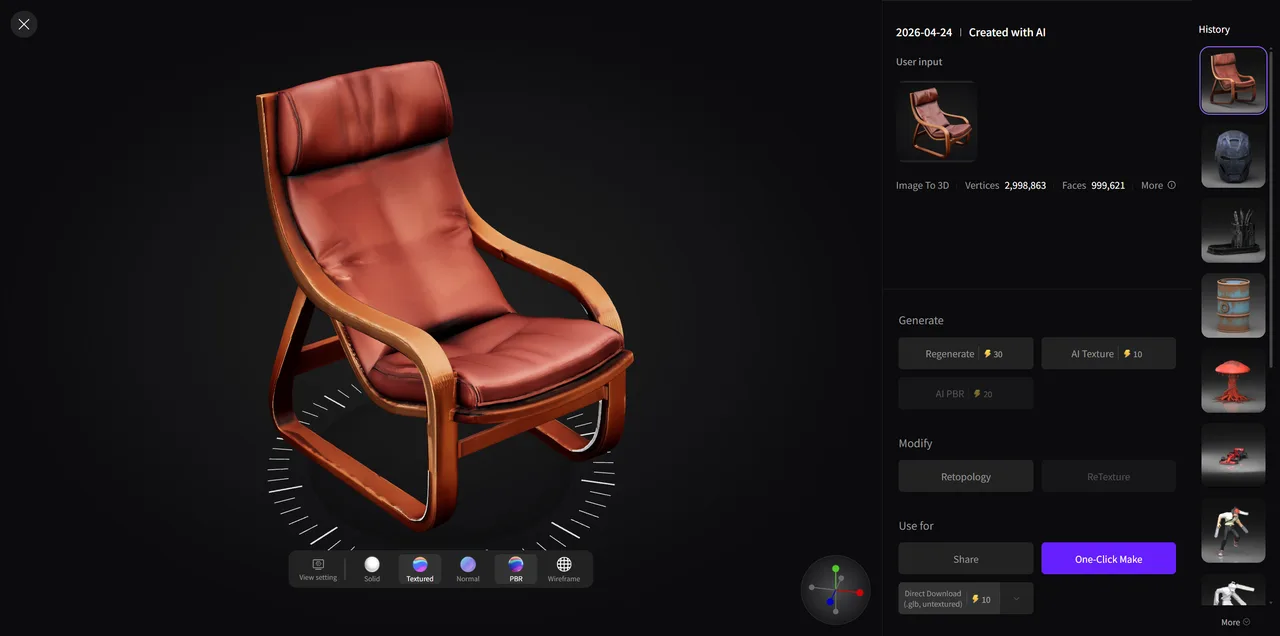
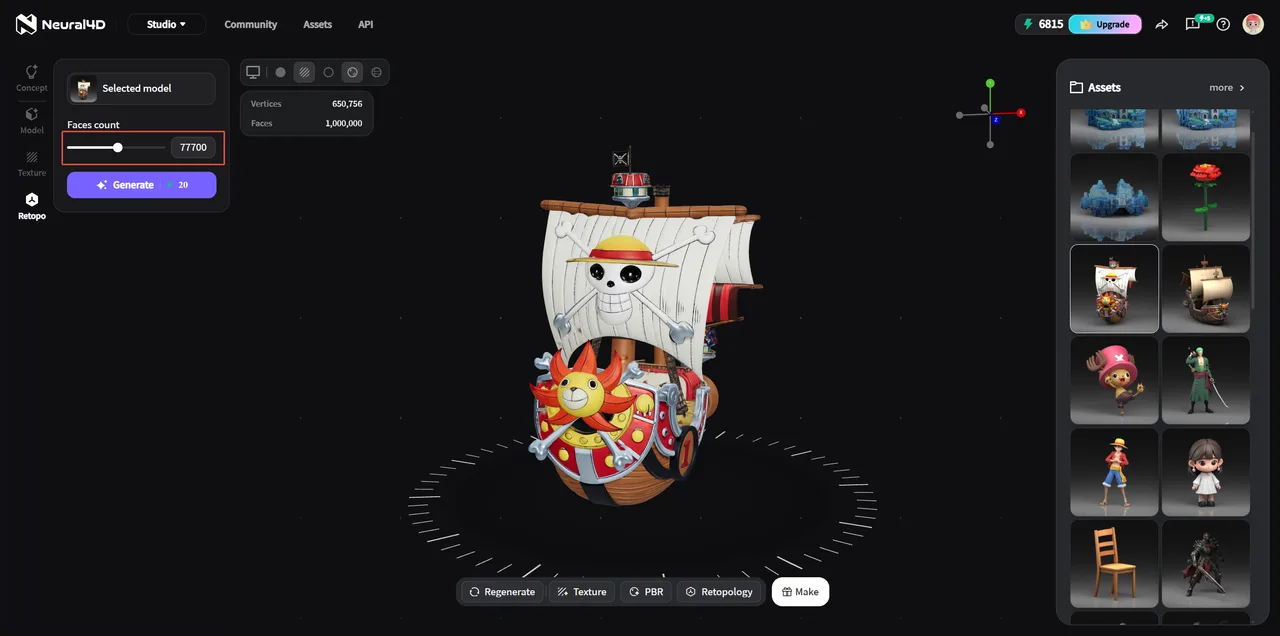
A generated mesh can be sent back through Retopo at a lower face target: the help centre's own example takes a model from 1,000,000 faces down to 77,700. That is the operation most generated assets need before they reach a game engine, and here it does not require leaving the tool.
Splits a generated model into separate components instead of returning one fused shell. This matters for printing in more than one colour or material, and for anything that has to move independently after import.
The engine places seams and generates base colour, normal, roughness and metallic maps, so assets react to scene lighting rather than carrying colour baked into vertices.
OBJ, FBX, GLB, USDZ, STL and BLEND. The vendor documents what each carries, which is more useful than the list alone: STL is geometry only with no colour, GLB packs geometry, UVs and PBR maps into one file, and BLEND keeps native material nodes.
Generation can be driven from a script rather than the web interface, available from the paid tiers upward.
Recurring themes across third-party user reviews (G2, Capterra, TrustRadius).


Neural4D is free to start. There is a free tier you can use indefinitely, and paid plans begin at USD 19.9/month.
| Plan | Price | What you get |
|---|---|---|
| Free | USD 0 | 50 credits a week, roughly 20 models a month. Daily generation limit of 8, one concurrent task, low queue priority, and untextured downloads only. |
| Go | USD 19.9/month | 1,500 credits a month, roughly 150 models. Unlocks textured download, private models, commercial use, multi-view, part split and API access. USD 13.9/month billed annually. |
| Plus | USD 39.9/month | 5,000 credits a month, roughly 500 models. USD 27.9/month billed annually. |
| Pro | USD 99.9/month | 25,000 credits a month, roughly 2,500 models. USD 69.9/month billed annually. |
STL export, part splitting and a face-count control are the three things that decide whether a generated file reaches a slicer in one piece. Note that STL carries geometry only, so any colour has to come from the printer, not the file.
The free tier is real rather than a trial, at roughly 20 models a month. The catch is that free output is untextured and not licensed for commercial use, so it answers whether the geometry is good enough and nothing else.
The REST API means batches can be driven from code instead of a browser, which is the difference between a novelty and a pipeline step.
Output is polygonal. A mesh imports into SolidWorks or Fusion as a reference body, not as parametric features you can edit, and converting it is a separate lossy process.
Reviewers consistently report that generators in this category handle organic shapes far better than mechanical ones, producing thin or fragile components on complex hard-surface prompts. Precision parts still want CAD.
Free output is not licensed for commercial use and downloads are untextured. Commercial rights begin on the paid tiers.
Yes. The free plan gives 50 credits a week, roughly 20 models a month, with a daily cap of 8 generations, one concurrent task and low queue priority. Downloads on the free plan are untextured and are not licensed for commercial use.
Go is USD 19.9 a month for 1,500 credits, Plus is USD 39.9 for 5,000, and Pro is USD 99.9 for 25,000, all checked against the vendor pricing page on 2026-09-03. Annual billing takes 30 percent off, bringing Go to USD 13.9 a month. Credits are consumed per generation, with textured and advanced operations costing more than a plain untextured mesh.
Sometimes. The vendor documents STL as exporting a watertight, manifold mesh, which is what a slicer needs, but independent reviewers report that complex hard-surface prompts still produce thin or fragile geometry that a slicer handles badly. Organic shapes are the reliable case. As with any generator, check the mesh before committing to a print.
Six, and the differences matter more than the list. OBJ writes geometry with materials and UVs in a separate MTL file. FBX embeds mesh and PBR setup for Unity and Unreal. GLB packs geometry, UVs and PBR maps into one binary file for web and real-time use. USDZ targets iOS and visionOS. STL is geometry only, with no texture or colour, for printing. BLEND keeps native Blender material nodes for further editing.
The help centre screenshots show 30 credits for an image-to-3D generation, 30 to regenerate, 10 for AI texture, 20 for AI PBR and 20 for a retopology pass. Since the free plan allows 50 credits a week, that is roughly one textured model a week before any paid tier.
Not guaranteed to match real-world units. This is worth checking on import rather than assuming, and it is a category-wide issue: a generated object commonly arrives at a size unrelated to the thing it depicts, and the exported format decides how a slicer reads it.
On the paid tiers, yes. The free tier is for personal and evaluation use, and free generations are not licensed for commercial work.
AI 3D model generator that turns text prompts or images into textured, riggable meshes in about a minute.
AI 3D workspace by VAST that generates textured, riggable models from text, images or sketches in seconds.
Deemos' AI 3D generator focused on high resolution quad geometry and PBR textures from text or multi image input.
Tencent's AI 3D generator with open weights for self hosting and a commercial cloud API, strongest on hard surface geometry.